Skip to content
77ace Sports / App
LIVE LOBBY

77ace — Live Casino, Slots and Cricket in Your Mobile Browser

77ace puts live dealer tables, slot rooms and cricket betting in one lobby you can reach from any mobile browser in Bangladesh — no download needed. Deposit with bKash, Rocket or Bank Transfer and your account balance updates so you can get into the game without waiting around.

bKash Nagad Rocket
Browse games
CONTENT / 01

Games Worth Opening First in the 77ace Lobby

A handful of titles get opened more than others, and it is worth knowing what each one actually is before you tap in.

  • Holdem Battlefield

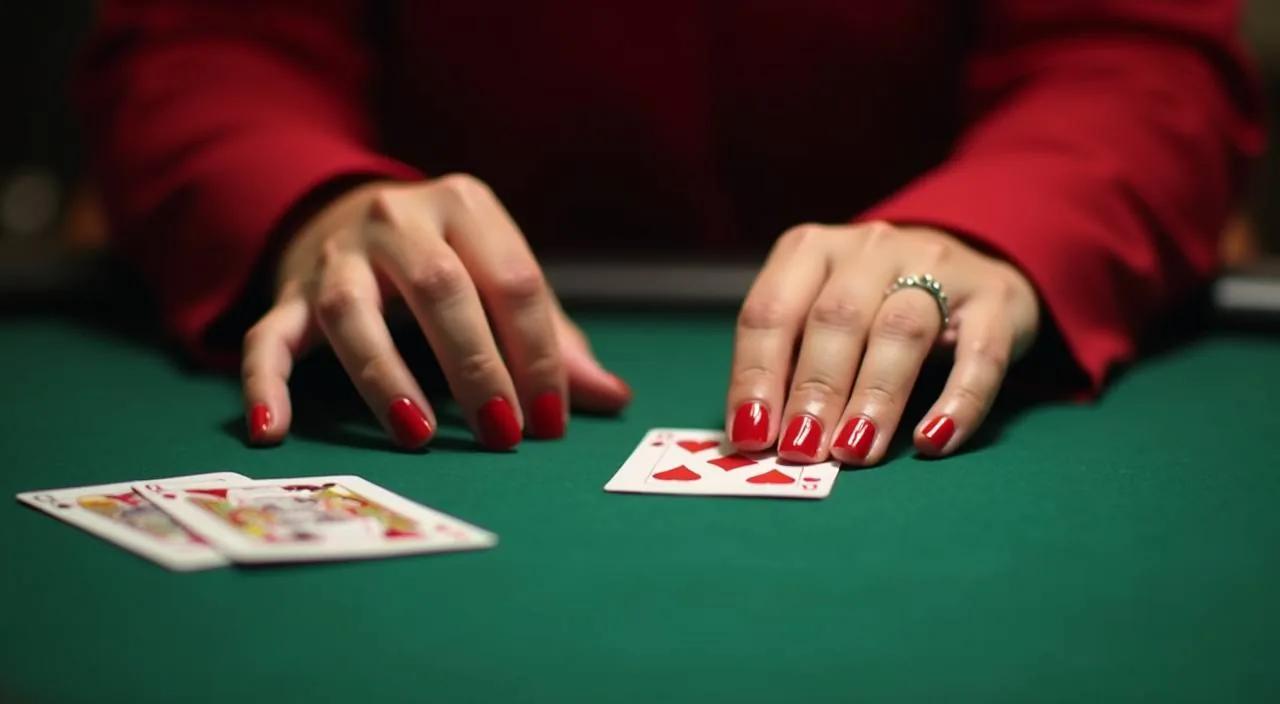
    A live poker-format title where you place a hand against the dealer. The rules, side bets and payout table are displayed before the round starts. Available in the live casino section of the lobby.

  • Crash Skyline

    A multiplier game where a rising line can be cashed out at any moment before it drops. Short-format rounds make it a common choice for mobile sessions. Find it under fast-format or crash games in the lobby filter.

  • bKash FastMoney

    A portrait-mode slot built for mobile play. The bKash theme makes it recognisable in the catalogue. Stake controls and paytable are in the game interface; RTP is shown only where PG Soft or the hosting studio publishes it.

GAME MODE CHOICE

Choose Your Tempo: Live Tables or Self-Paced Slots

The two main ways to play at 77ace sit right next to each other in the lobby, and they suit different moods. Live casino tables stream dealer-hosted rounds of baccarat, roulette and more in real time — you join a seat, watch the cards dealt on screen, and the pace is set by the table.

  • Live Casino Tables

    Live dealer rooms at 77ace stream baccarat, roulette and Holdem Battlefield directly to your screen. You join a seat from the lobby, see the dealer in real time, and rounds run at a fixed pace.

  • Self-Paced Slot Rooms

    Slot titles from CQ9, Spadegaming, Pragmatic Play, PlayStar and PG Soft load directly in your mobile browser. You control the round timing — pause, adjust your stake or switch titles without a table waiting on you. Crash Skyline and bKash FastMoney are among the formats available when you want shorter, self-directed sessions rather than a full dealer table.

  • Cricket Sportsbook

    The sportsbook section covers cricket as its headline category — IPL, BPL and international fixtures are where most Bangladesh players spend their time in this part of the lobby. Browse the markets available on the current schedule from your account.

DISCOVER / 01

Choose your game

Full lobby
GAME NETWORK
CQ9
Spadegaming
Pragmatic Play
PlayStar
PG Soft
CONTENT / 04

77ace lobby studios

The 77ace lobby carries content from CQ9, Spadegaming, Pragmatic Play, PlayStar, PG Soft. To check the studio, rules or features of one specific game, open that game card or the published information panel.

  • CQ9

  • Spadegaming

  • Pragmatic Play

  • PlayStar

  • PG Soft

TRUST / 03

Real Support Behind Every 77ace Account

Questions about payments, account access and game outcomes come up, and 77ace routes them to real support rather than automated dead ends. The help section of your account shows the current contact options — typically live chat and a contact form that logs your query with a reference number. When you submit a query through the contact form, keep your reference number handy — agents use it to pull up your account history without you having to repeat details. Response times can vary by channel, so if your issue is time-sensitive, live chat is generally the faster path.

  • Live Chat

    Open the help section from your signed-in account to reach live chat. This is the fastest route for active payment queries — have your bKash or Rocket transaction reference ready so the agent can locate your deposit record without back-and-forth. Chat availability is shown in the help tab when you log in.

  • Contact Form

    The contact form in the account help section logs your query with a case reference number. Use it for account verification questions, document submissions or anything that needs a written record. You will receive a reply to the email address on your account; check your inbox and spam folder after submitting.

  • Payment History Tab

    Before contacting support for a missing deposit, open the payment history tab in your account. Your bKash, Rocket and Bank Transfer transactions are listed there with timestamps and status. If a deposit shows as pending, the status note explains the next step without needing to open a support query.

Learn more →
LOCAL PAYMENTS

bKash, Rocket and Bank Transfer in Your Account Wallet

Your 77ace account wallet accepts deposits via bKash, Rocket and Bank Transfer — the three payment rails that work for Bangladesh. To deposit, go to the wallet section of your account, select your method, enter the amount and follow the fields shown on screen. For withdrawals, navigate to the same wallet section, choose your method and enter your account details carefully, as the details must match what is on your 77ace account. Your payment history tab records every transaction with a timestamp and reference number you can use if you need to follow up.

  • bKash

    Select bKash on the deposit screen, enter the amount and complete the payment in your bKash app. Copy the transaction ID from your bKash confirmation and paste it into the reference field in the 77ace wallet form. The deposit screen shows the current minimum and maximum for bKash transactions before you confirm.

  • Rocket

    Rocket deposits work the same way — select Rocket, enter your amount, pay from your Rocket wallet and then enter the reference number back in your 77ace account. The reference ties the wallet transaction to your balance update. Minimum and maximum amounts are shown on the Rocket deposit form when you select it.

  • Bank Transfer

    Bank Transfer is available for larger amounts. The deposit screen shows the receiving account details — bank name, account number and. After you transfer, enter your bank transaction reference in the 77ace form. Processing follows standard bank timelines; the status updates in your payment history tab once the transfer is matched.

Banking
MOBILE BROWSER PLAY

The Full 77ace Lobby from Any Mobile Browser

77ace is built to run in your mobile browser without a download. Open 77ace in Chrome or your default Android browser, log in to your account and the full lobby loads — live casino tables, slots and the sportsbook section are all accessible from the same page. If the page does not load as expected, clearing your browser cache usually resolves display issues without any further steps. Landscape orientation is supported on most screens and can give you a wider view of live table layouts.

  • No Download Needed

    Open 77ace in your mobile browser and log in — that is the full access path. No app store, no APK file, no storage space required on your phone. The lobby, wallet and account settings all load in the browser session. Any browser update that supports modern web standards will run the site correctly.

  • Portrait and Landscape Both Work

    The lobby layout adjusts when you rotate your phone. Most slot titles, including bKash FastMoney, are designed for portrait mode. Live tables and the sportsbook work in both orientations. You can switch orientations mid-session without losing your place in a game or needing to reload the lobby.

  • Wallet Access from Any Screen

    Your account wallet is reachable from the top navigation while you are inside a game. You do not need to exit a slot session to check your balance or read your last transaction. The same bKash, Rocket and Bank Transfer options you used to deposit are available in the in-session wallet panel.
CONTENT / 03

The Full 77ace Lobby from Any Mobile Browser

77ace is built to run in your mobile browser without a download. Open 77ace in Chrome or your default Android browser, log in to your account and the full lobby loads — live casino tables, slots and the sportsbook section are all accessible from the same page. If the page does not load as expected, clearing your browser cache usually resolves display issues without any further steps. Landscape orientation is supported on most screens and can give you a wider view of live table layouts.

  • No Download Needed

    Open 77ace in your mobile browser and log in — that is the full access path. No app store, no APK file, no storage space required on your phone. The lobby, wallet and account settings all load in the browser session. Any browser update that supports modern web standards will run the site correctly.

  • Portrait and Landscape Both Work

    The lobby layout adjusts when you rotate your phone. Most slot titles, including bKash FastMoney, are designed for portrait mode. Live tables and the sportsbook work in both orientations. You can switch orientations mid-session without losing your place in a game or needing to reload the lobby.

  • Wallet Access from Any Screen

    Your account wallet is reachable from the top navigation while you are inside a game. You do not need to exit a slot session to check your balance or read your last transaction. The same bKash, Rocket and Bank Transfer options you used to deposit are available in the in-session wallet panel.

ACCOUNT PATH

From the 77ace Home Page to Your First Game in Four Steps

Getting from the home page to your first round follows a straightforward account path. Step one: open 77ace in your browser and tap the account creation button — the form asks for your email address, a password and your preferred currency.

  1. Create Your Account

    Open 77ace and tap the account creation button. Fill in your email address, password and currency preference. The form fields are labelled and the process completes in the browser — no app download needed to register.

  2. Verify Your Email

    Check your inbox for the verification email from 77ace. Click the link inside to activate your account. If it does not arrive within a few minutes, check your spam folder. The verification step unlocks the deposit screen in your wallet.

  3. Make Your First Deposit

    Open the wallet section and select bKash, Rocket or Bank Transfer. The deposit form shows the minimum and maximum amounts, the payment details and the reference field. Complete the payment in your wallet app and enter the transaction reference back in the form to confirm.

  4. Open the Lobby

    With your balance active, return to the lobby. Choose live casino, slots or sportsbook from the navigation. Your balance is shown at the top of the game screen. For live tables, tap a seat to join; for slots, tap a title card and the game loads in your browser.

MEMBER DESK / 06

Offers, support and account controls

01

Game lobby

02

Payment guide

03

Support

ACCOUNT DESK

Account information

Review current account information after signing in.

Login
TRUST / 03

How 77ace Handles Your Account, Payments and Fair Play

Playing at 77ace means your account, payments and game outcomes follow defined standards — not vague promises. Payments through bKash, Rocket and Bank Transfer are processed through the wallet system, and every transaction generates a reference number you can check in your payment history tab. Your account settings area also includes controls that let you review your session activity and adjust how your account behaves over time. If you notice a discrepancy in a game outcome, the reference number on that round can be passed to the support team for review.

  • Transaction Records

    Every bKash, Rocket and Bank Transfer transaction on your account generates a timestamped record in the payment history tab. The reference number in that record matches the one from your mobile wallet confirmation.

  • Game Certification

    Slot and live dealer titles at 77ace come from CQ9, Spadegaming, Pragmatic Play, PlayStar and PG Soft. Each studio certifies the game mechanics and RTP of its titles independently.

  • Account Controls

    The account settings section includes options for managing your session and spending behaviour. These are in your account, not buried in a support queue — open settings after logging in to see what controls are available for your accou

  • Region Eligibility

    Access to 77ace depends on local law and the eligible regions defined in the terms of service. Bangladesh players should review the terms on the registration page before creating an account. If access is restricted in your location, the registration flow will indicate this.

Learn more →
PLAYER INDEX / 07

Common Questions About the 77ace Lobby and Account

These cover the questions that come up most when navigating the lobby, managing your wallet or understanding game formats at 77ace. If your question is not here, the support section of your account has the contact routes to reach a real agent.

Player guide and glossary
  • How do I deposit using bKash at 77ace?

    Log in to your 77ace account and open the wallet section. Select bKash from the deposit options. The form shows the current minimum and maximum deposit amounts, along with the bKash number to send to.

  • Can I access the 77ace lobby on my phone without downloading an app?

    Yes — 77ace runs in your mobile browser. Open 77ace in Chrome or your default browser, log in and the full lobby loads without any download. Live casino, slots and the sportsbook are all accessible this way. The layout adjusts for portrait and landscape, and your wallet and account settings are reachable from within any game screen.

  • What is the difference between live casino and slot rooms?

    Live casino tables are dealer-hosted and stream in real time — you join a seat, rounds run at a set pace and the dealer controls the game. Slot rooms are self-paced: you open a title, set your stake and spin when you are ready.

  • How do I withdraw my winnings to Rocket?

    Open the wallet section in your signed-in account and go to the withdraw tab. Select Rocket, enter your Rocket wallet number and the amount you want to withdraw. The form will show any minimum withdrawal amount and any verification steps required before the withdrawal is processed.

  • Where do I find the RTP for a game at 77ace?

    RTP figures are shown inside individual game screens where the supplying studio — CQ9, Spadegaming, Pragmatic Play, PlayStar or PG Soft — publishes that data. Not every title displays an RTP figure; it depends on what the studio makes available.

  • What should I do if my bKash deposit is not showing in my account?

    First, open the payment history tab in your 77ace account and check the status of the transaction. If it shows as pending, the status note will explain the next step.

  • How do I contact 77ace support if I have an account problem?

    Open the help section from your signed-in account. The current support options — live chat and a contact form — are listed there. Live chat is the fastest route for active payment queries.

  • Does 77ace offer cricket betting?

    Yes — the sportsbook section includes cricket as its main category. IPL, BPL and international cricket fixtures are the most-followed markets for Bangladesh players. Open the sportsbook tab from the lobby to see which matches currently have active markets.

Full glossary
LOBBY / 02

One mobile lobby, distinct game areas

Live Cricket Odds Sports Live Cricket Odds Access → Roulette LuckyWheel Live Roulette LuckyWheel Access → Holdem Battlefield Slots Holdem Battlefield Access → Football Goalrush Sports Football Goalrush Access → Crash Skyline Slots Crash Skyline Access → bKash FastMoney Slots bKash FastMoney Access →
EXPLORE FURTHER / 04

Explore detailed guides

Local lobby check

QUICK ANSWERS

Frequently asked questions

These questions cover the account creation path, payment options and game access steps that new and returning players ask about most. For anything not covered here, the help section inside your account connects you to the support team directly.

Read FAQ →
What payment methods does 77ace accept in Bangladesh?

77ace accepts bKash, Rocket and Bank Transfer for deposits and withdrawals. These are the three configured payment rails for Bangladesh. Each method has its own minimum and maximum transaction amounts, which are shown on the deposit and withdrawal forms when you select them.

How do I create a 77ace account?

Open 77ace in your browser and tap the account creation button. Enter your email address, set a password and confirm your currency. After submitting the form, check your inbox for a verification email and click the link inside to activate your account.

Is 77ace available on mobile in Bangladesh?

77ace is accessible from any mobile browser in supported regions of Bangladesh, subject to local law and eligibility. Open the site in Chrome or your device's default browser — the lobby loads without a download. Games, wallet and account settings all work in the mobile browser session.

How do I find the games from a specific studio like PG Soft or Pragmatic Play?

Use the provider filter in the lobby to narrow the game catalogue by studio. Select CQ9, Spadegaming, Pragmatic Play, PlayStar or PG Soft from the filter options and the lobby updates to show only titles from that studio.

What happens if I forget my 77ace account password?

On the login page, tap the forgot password link. Enter the email address on your account and a reset link will be sent to your inbox. Click the link, set a new password and log in. If the email does not arrive within a few minutes, check your spam folder.

Can I play live casino games on a mobile connection in Bangladesh?

Live dealer games stream video to your device, so connection quality affects the experience. A Wi-Fi connection gives the most stable stream, but live tables are playable on standard mobile data. If your connection is slow, video quality adjusts automatically rather than cutting the session.

Where can I see the terms for a information or offer?

After logging in, open the offers tab in your account. Each offer card links to its own terms — minimum deposit conditions, eligible games and withdrawal requirements are all listed there. Read the terms before using an offer to understand any conditions on credited amounts.

READY WHEN YOU ARE

77ace game lobby

Access may be available only where local law permits.

Register Login